
When you sign up for your Virtual Surveyor ID —or sign in using email authentication— we send you a verification code to confirm your identity. In some cases, your email settings or company security filters may prevent the code from appearing in your inbox right away. This article explains why that can happen and what you can do to get your code.
Overview
Why You May Not Get a Verification Code
The verification code should usually arrive in your inbox shortly after you request it. If you do not see it, try some of these steps:
The verification code may have gone to spam
- Check your spam or junk folder for the verification code.
The email will appear as being sent by Virtual Surveyor (via Microsoft).
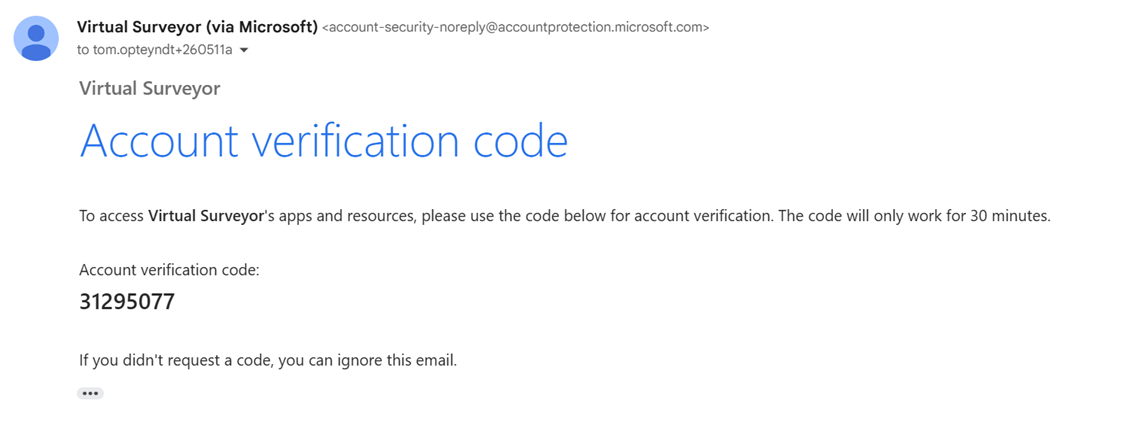
There may be a delay in delivery
- Wait a few minutes, then refresh your inbox.
Sometimes the code can take longer to arrive because of temporary email delays or increased traffic at the time it was requested. - For longer delays, the code will time out and become invalid.
If delays are a consistent problem, you can try setting up SMS/text authentication as an optional verification method with faster code delivery times.
Your company’s spam filter may be blocking the email
- Your company’s email security settings may prevent the verification email from reaching your inbox.
Contact your IT administrator and ask them to check if any Microsoft emails are being blocked.
If the Email Verification is Still Not Working
If you still cannot receive the email verification code, we can help you set up SMS/text authentication as an additional two-factor authentication option.
- To request this, submit a support ticket and ask us to enable SMS/text authentication for your account.
Note for Initial Sign-ups of the Free Trial
When you initially sign up for a free trial, you must complete email verification for your first sign-in. This allows us to confirm that your email address is authentic. After your first sign-in, you can set up SMS/text authentication and use it as an alternate way to verify your identity when signing in.