

The Virtual Surveyor 2026.3 update introduces Smart Help for fast answers directly in the desktop apps, brings more help resources directly into the apps, and adds four new languages for a total of 13 supported languages across the desktop apps.
Overview
New Smart Help Tool
Introducing Smart Help, a way to find answers from the official Virtual Surveyor Knowledge Base. Ask Smart Help questions from within the desktop apps to receive answers and solutions regarding workflows, tools, concepts and other topics related to Virtual Surveyor.
The Smart Help button is found in the HELP tab and opens a panel where you can enter a question and get an answer immediately, without leaving the app you're working in. Smart Help is available as you work, helping you find information without disrupting your flow or train of thought. The more detail you include in your questions, the better Smart Help can find the information you are looking for.
Smart Help also works in any of our supported languages. It welcomes you in the language you are using and responds to your questions in that same language, making Knowledge Base information easier to access wherever you work.
While Smart Help can help you find the information you need quickly, it will not have an answer to every question. When a question requires information beyond what Smart Help can provide, it may direct you to contact your Account Manager for additional help.
Download the latest update and give Smart Help a try!
Help Tab Resources Available within the Desktop Apps
More of the resources in the HELP tab are now available directly within the desktop apps. Instead of opening a separate browser window, you can access these resources while continuing to work in VirtualSurveyor or TerrainCreator.
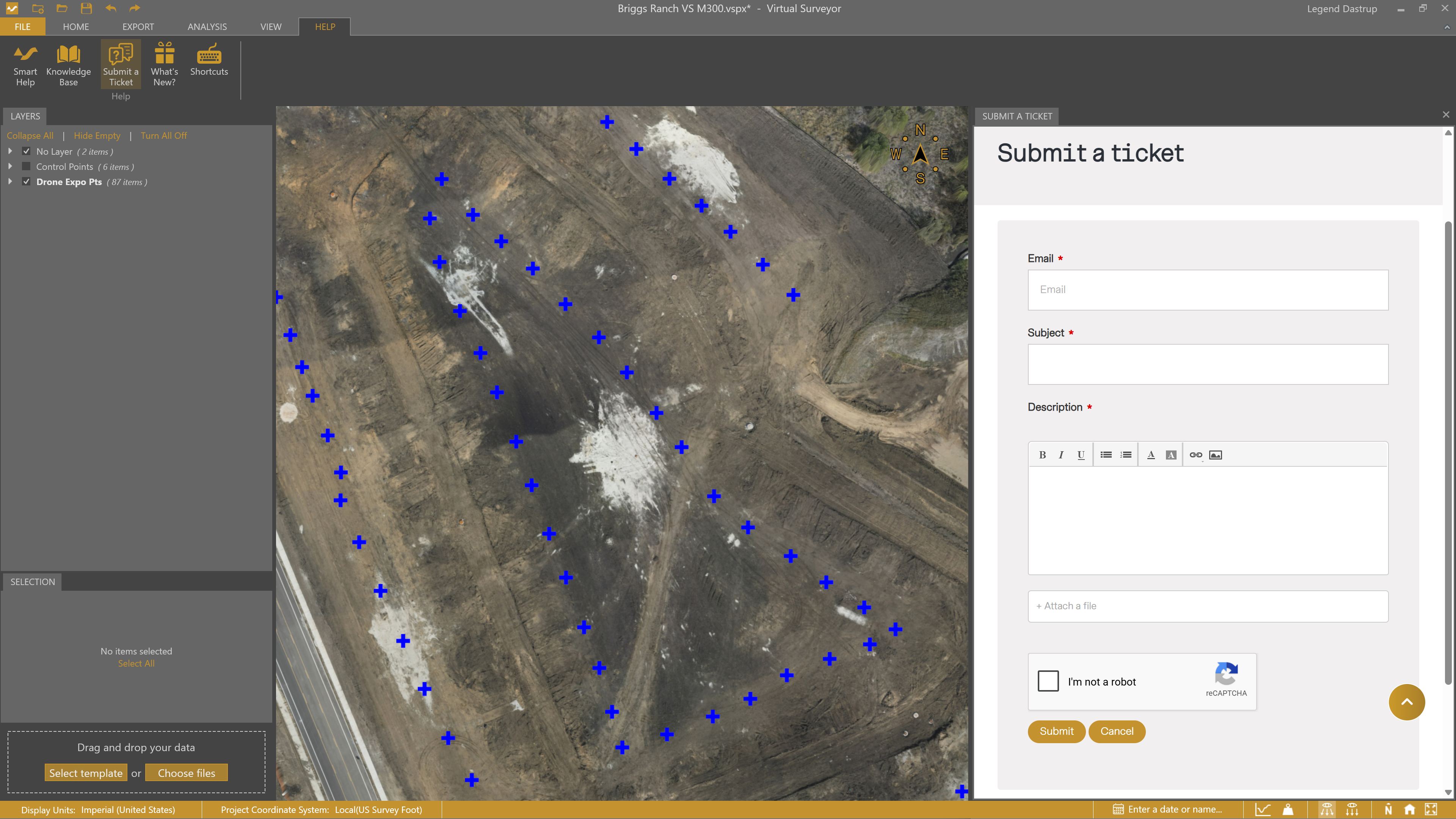
The following resources are now available directly in the app:
- Knowledge Base — Browse detailed articles about tools, workflows, projects, and other Virtual Surveyor topics.
- Submit a Ticket — Contact our support team when you need additional help.
- What’s New? — Review the latest Virtual Surveyor updates, improvements, and new features.
- Shortcuts — View available keyboard and application shortcuts.
Keeping these resources inside the desktop apps makes it easier to look something up, contact support, or check what’s new while staying focused on your work.
Added Language Support
We're adding 4 more languages to our desktop apps and the My Virtual Surveyor portal to make it that much easier to work in your own language.
Newly added languages:
- Suomi
- Hrvatski
- 日本語
- Nederlands
These additions are included with the 9 languages that are already available:
- Deutsch
- English
- Español
- Français
- Português
- Türkçe
- русский
- 한국어
- 中文 (简体)
When you install the desktop apps, the application language is automatically set to match the language of your operating system when that language is supported. If your operating system uses a language that is not currently available, the app will use English by default.
You can change the application language at any time from the Settings in the desktop apps. See our Settings article for instructions on changing your language preferences.
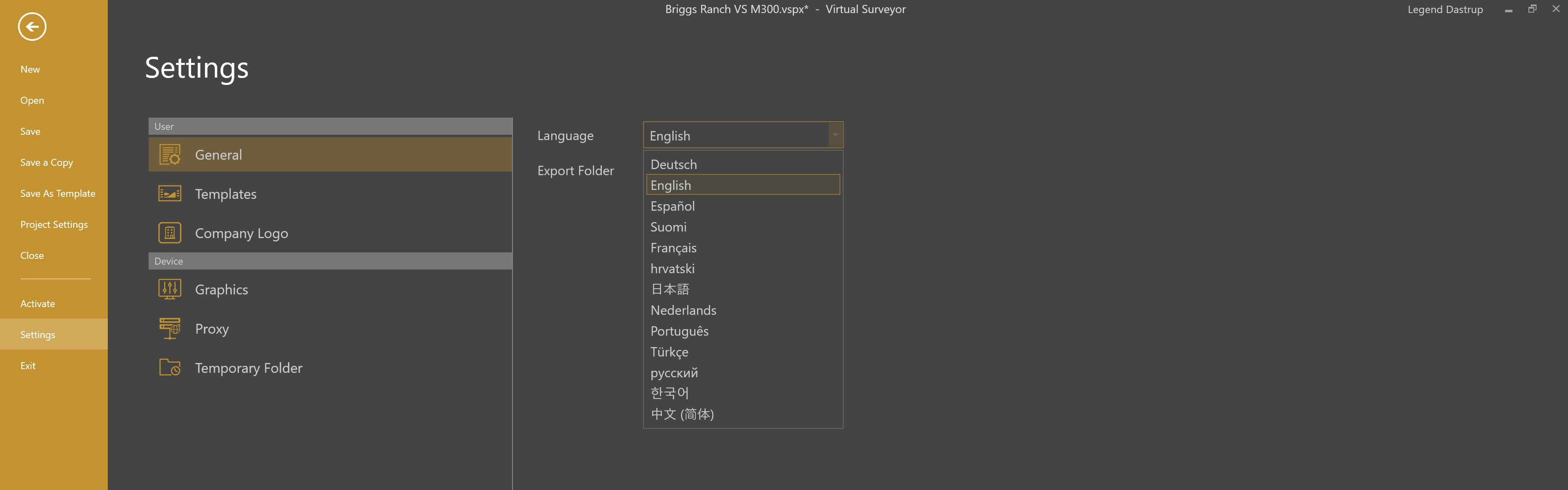
See our languages page for more information about the languages available in Virtual Surveyor.