Virtual Surveyor 10.2 introduces powerful new tools for working with (local) coordinate systems, improved performance for point gridding, and several usability enhancements.
Overview
- Local Coordinate Systems
- Improved Coordinate System Search
- Expanded Coordinate Systems Library
- Specify a Geodetic Height
- Save a Copy
- Point Gridding Acceleration
- Popup Dialog
1. Local Coordinate Systems
Local Coordinate Systems help you eliminate grid to ground problems, handle scale factors, rotations, offsets, and minimize distortions on project sites.
1.1 Point Mapping
You can now create Local Coordinate Systems through point mapping. You specify control points with their GNSS and Total Station measurements, and the software handles the coordinate transformation in the background.
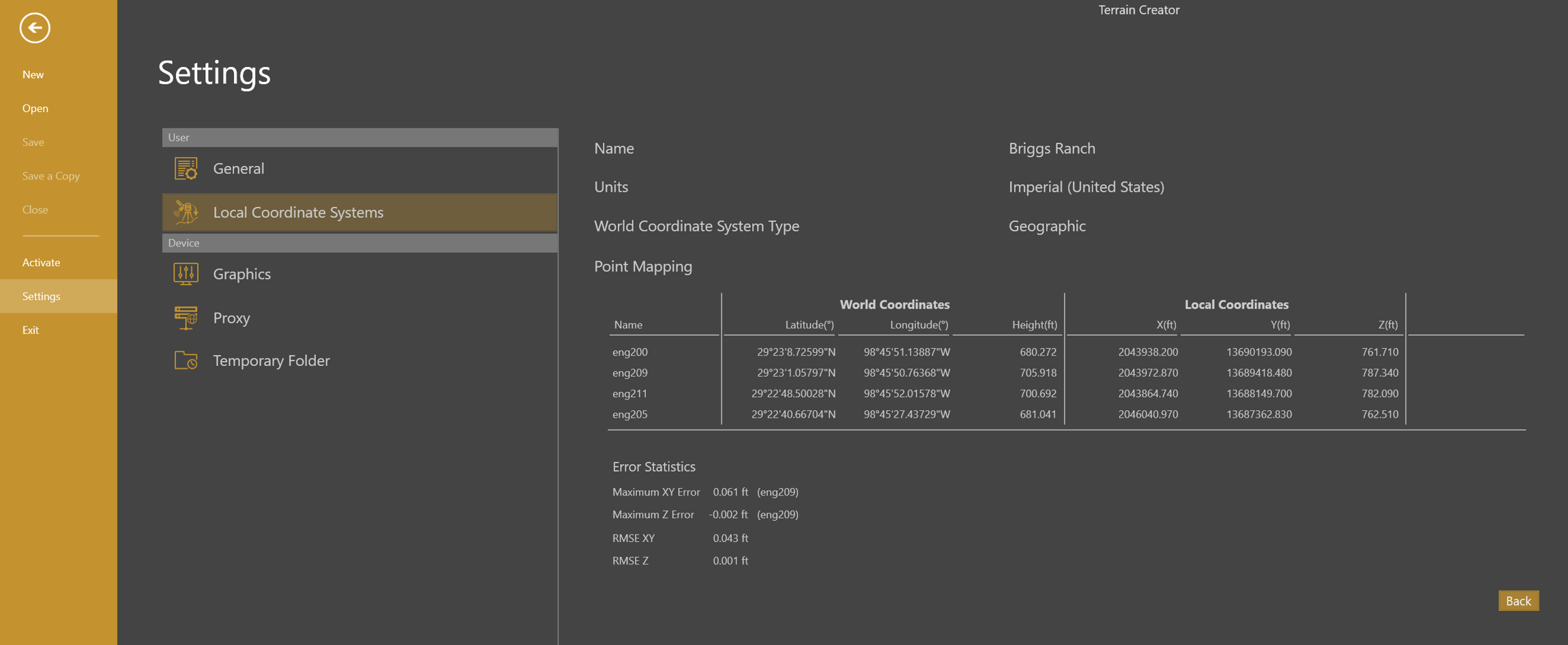
Error statistics are provided to give an indication of the distortions you might expect. When they are too large, you would need to verify your point input or even reassess your point measurements.
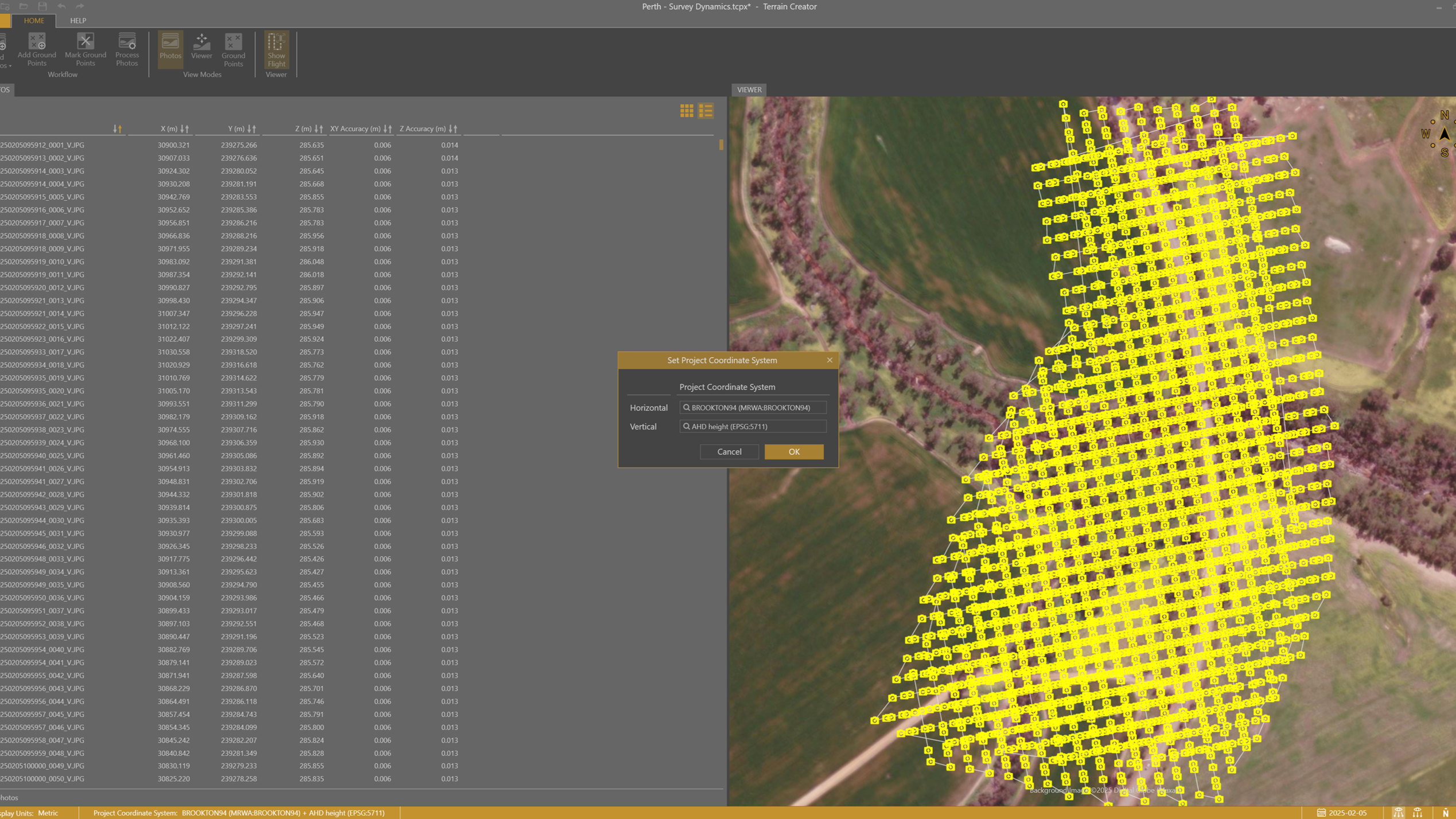
You will be able to process your drone photos directly into a Local Coordinate System as shown in the illustration below, using the Willow Creek local system.
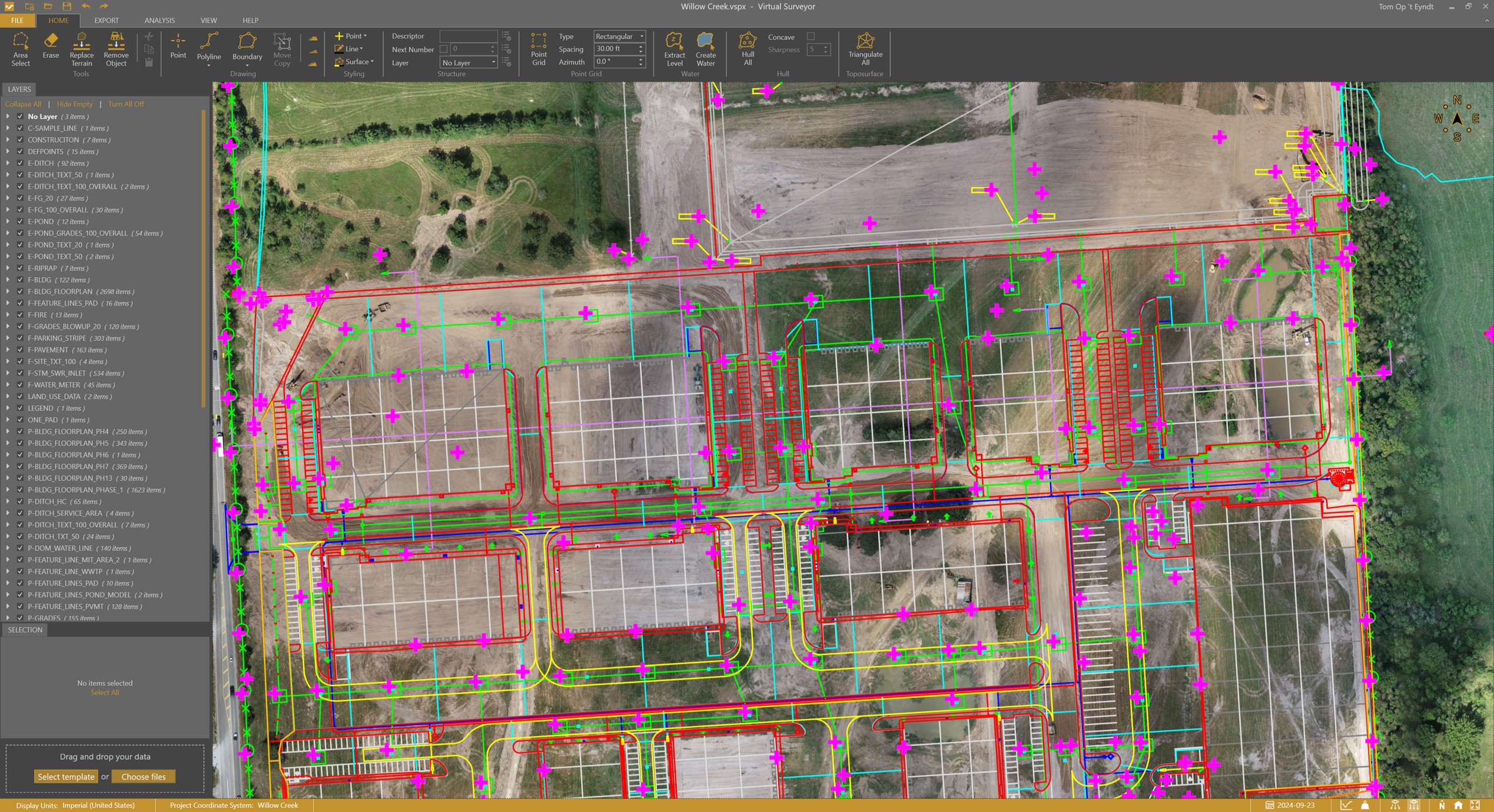
Local Coordinate Systems work like other coordinate systems. You can reproject other datasets to your Local Coordinate System. But as the name suggests, they are local, and only applicable to a small area. But no worries, we handle the transformation for you, and when the transformation doesn’t make sense, we will not suggest it.
1.2 Exchange
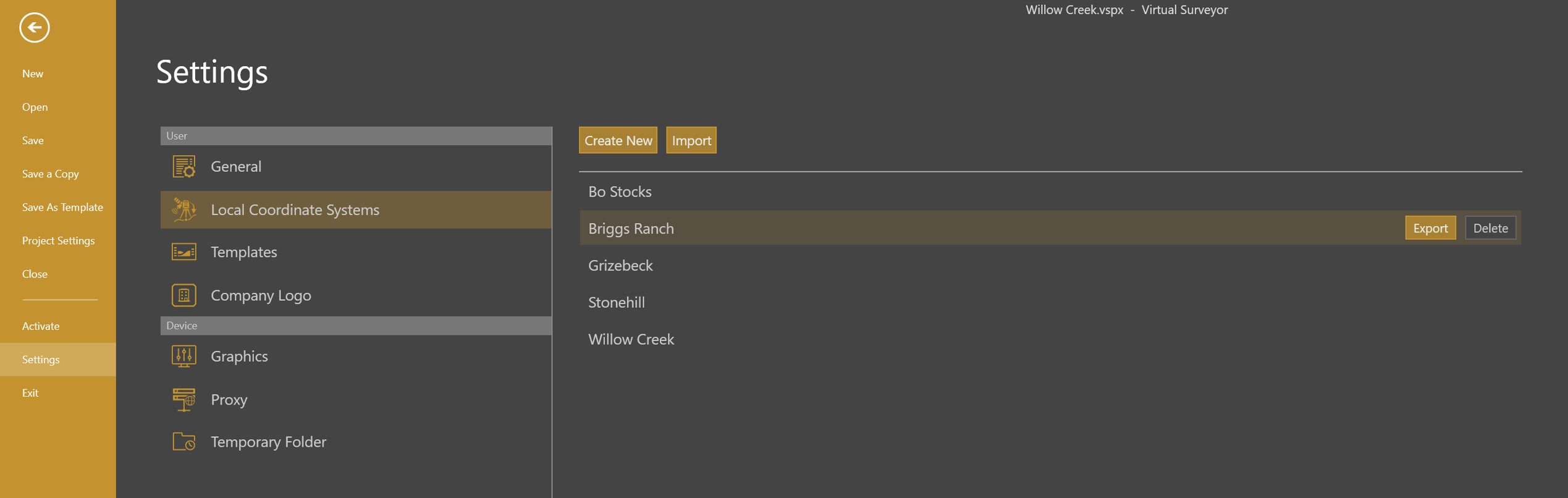
Local Coordinate Systems are saved with your user settings and available from wherever you work. You keep an overview of your Local Coordinate Systems in the backstage menu (File > Settings).
Local Coordinate Systems can also be shared within your team using the Export and Import functionality.
2. Improved Coordinate System Search
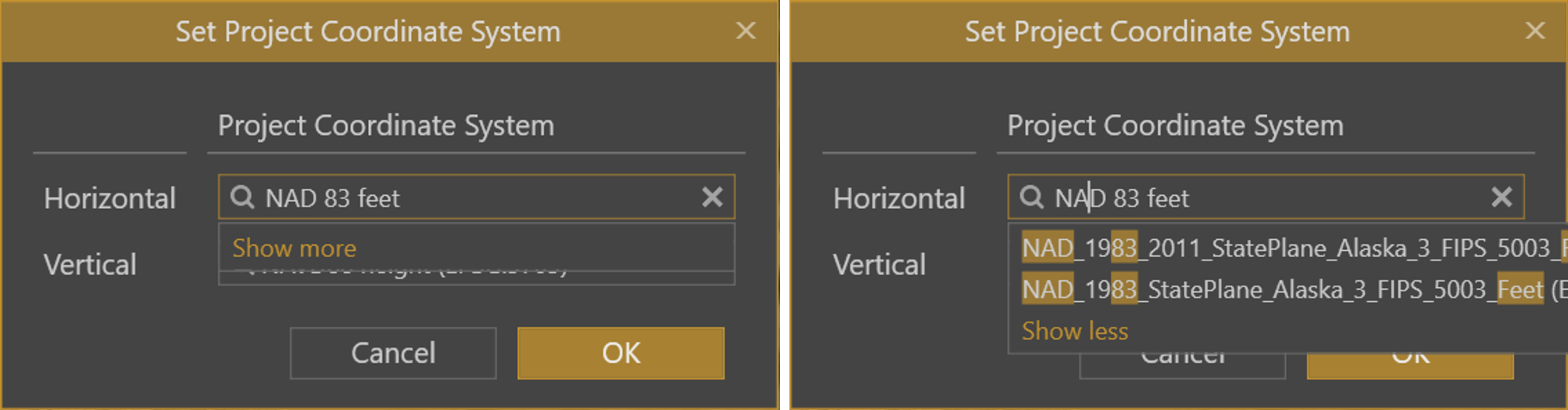
Selecting the right coordinate system is now faster and more intuitive. Instead of scrolling through long lists, Virtual Surveyor remembers your last used system and automatically suggests it when your project falls within its valid region. And if you don’t find a suitable system right away, click Show more to expand the list and view additional options.
3. Expanded Coordinate Systems Library
Customers from the United States that operate in areas where the official state system is defined in metric units, can now choose the coordinate system variant in imperial units. These variants were not available before. You might need to click Show more… when you can’t find it right away.
Customers from West Australia can now select coordinate systems from Landgate and Main Roads West Australia that are included now in the application. These systems minimize distortions along the road network in Western Australia. Because these systems are publicly available, you don’t need to create Local Coordinate Systems for these sites.
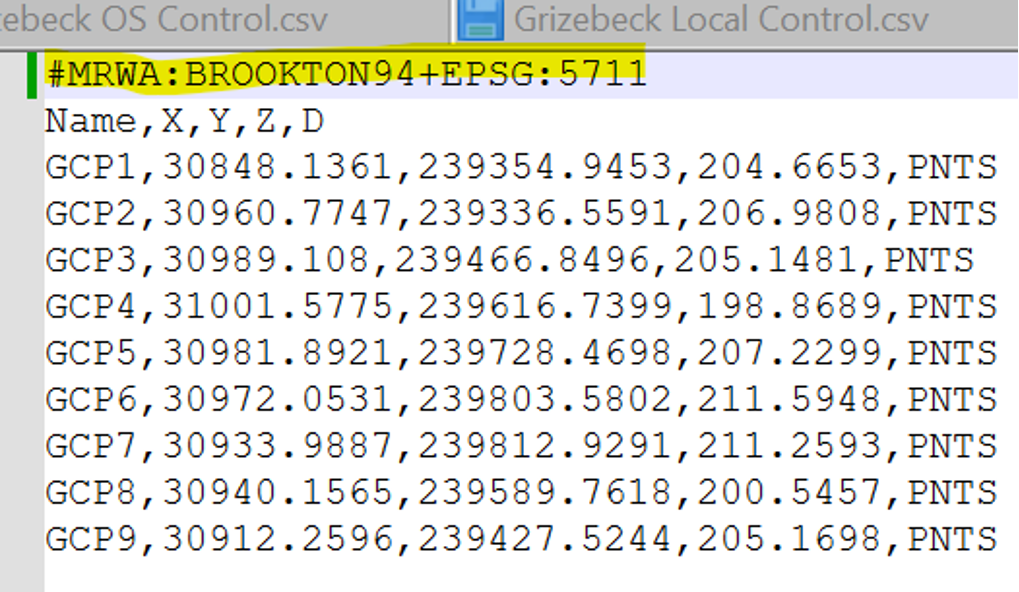
These additional authorities can also be used when defining the coordinate system in point files.
4. Specify a Geodetic Height
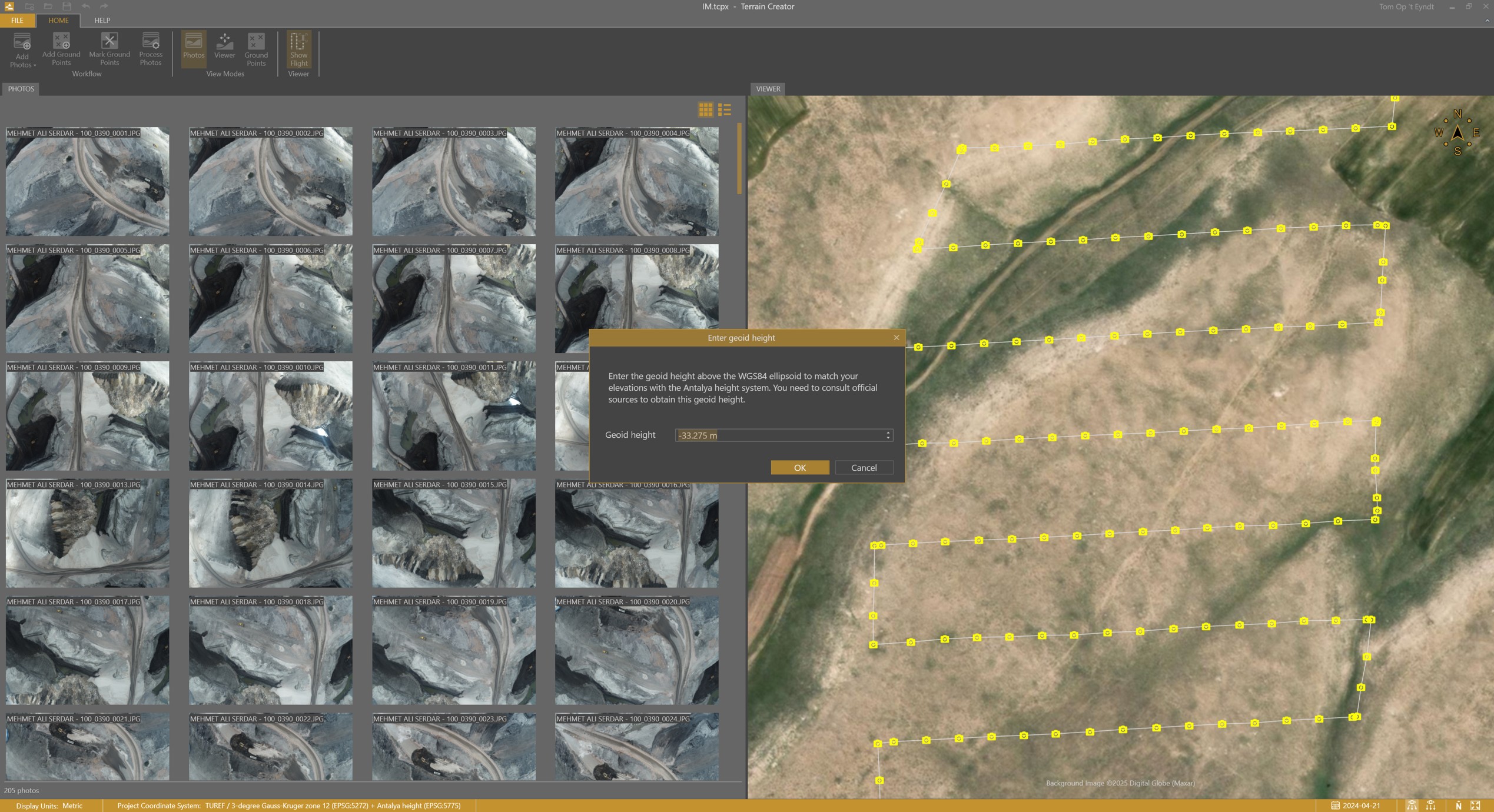
Drone photos come with elevations expressed as ellipsoidal heights. When you load these photos, the TerrainCreator app automatically converts ellipsoidal heights to orthometric heights for many regions. In regions where the app doesn’t have the information, you now have the option to manually enter the geoid height before processing your drone photos.
5. Save a Copy
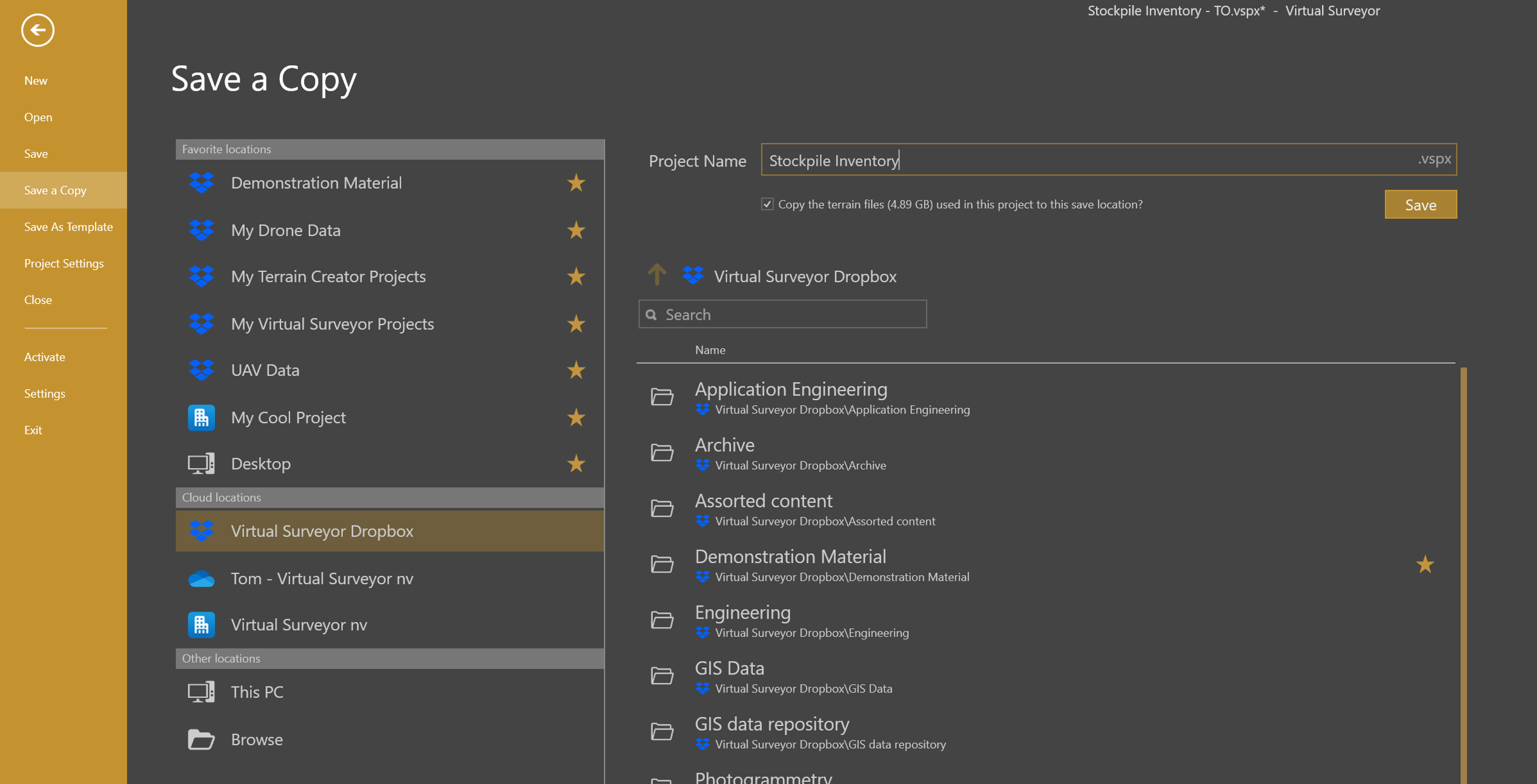
You can now Save a Copy of your Virtual Surveyor or Terrain Creator project and optionally choose to copy all your terrain files along with it. This makes reorganizing or sharing projects within your team much easier.
6. Point Gridding Acceleration
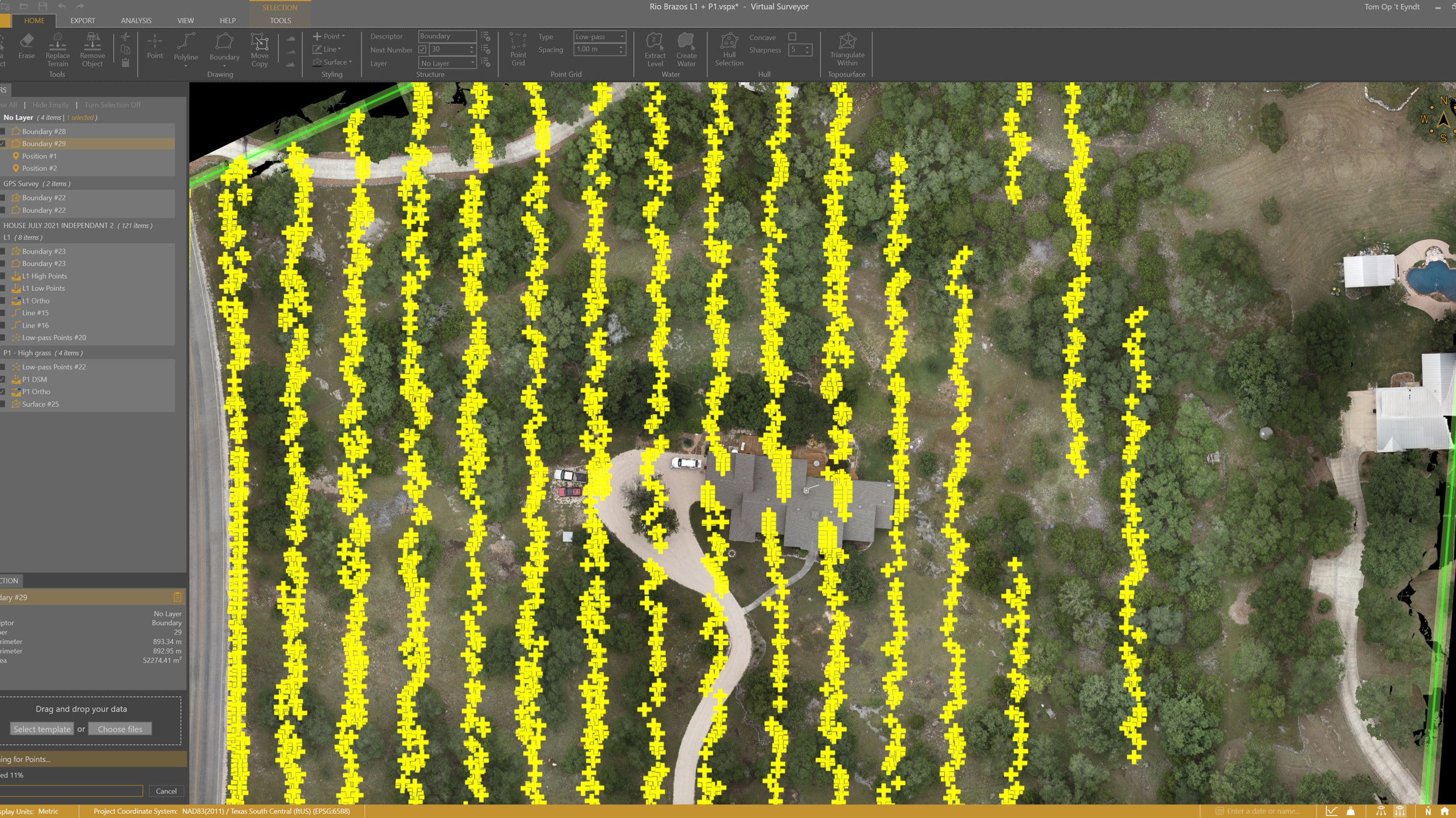
All point gridding algorithms (low-pass points, Q-points and regular point grids) have been accelerated. The algorithms run 40 to 60% faster but that obviously depends on your hardware as well.
The illustration below shows the impact on the visual progress of the low-pass point generation.
7. Popup Dialog
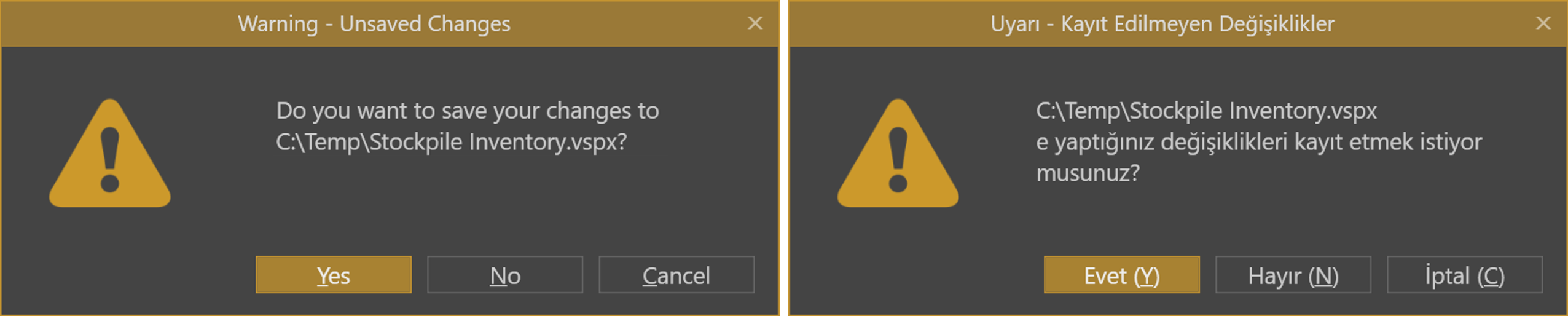
You can now use keyboard shortcuts on popup dialogs (e.g. Y for Yes). We made sure that these shortcuts are presented clearly across languages.